AI Search Is a Product Architecture, Not a Search Feature
TL;DR
- Modern AI search is not vector search with a chatbot on top. It is a product architecture that combines retrieval, ranking, grounding, interface generation, and action.
- The winning pattern is hybrid retrieval plus an answer contract: what the system is allowed to answer, which evidence it must show, when it must refuse, and what the user can do next.
- Buy the retrieval substrate when latency, scale, connectors, or web freshness matter. Build the product layer yourself: query taxonomy, ranking policy, answer UX, evals, and trust controls.
AI search has outgrown the search box. The old model returned a ranked list of documents and pushed the cognitive work onto the user. Modern AI search interprets intent, retrieves evidence, ranks competing signals, explains the answer, and sometimes takes the next step.
That is not a feature.
It is product architecture.
I have watched this pattern from both sides: consumer discovery products where search was the front door, and enterprise platforms where search quality directly affected trust, revenue, and operational risk. The mistake is the same in both contexts. Teams ask, "Should we add semantic search?" when the better question is, "What decision is the user trying to make, and what evidence does the system need before it is allowed to help?"
That framing changes the build completely.
What modern AI search tools actually look like
The AI search market is splitting into five useful categories.
1. Search platforms adding AI retrieval. Algolia, Elastic, Azure AI Search, OpenSearch, and similar platforms are extending classic keyword search with vector search, semantic ranking, answer generation, and RAG patterns. This is where most existing product teams start because the operational model is familiar: indexes, schema, filters, ranking rules, analytics, and uptime.
Algolia's NeuralSearch combines keyword precision with semantic understanding. Azure AI Search documents hybrid search as a single request that runs full-text and vector queries in parallel, then merges results with reciprocal rank fusion. Elastic explains hybrid search in similar terms: combine lexical precision with semantic recall.
2. Vector databases becoming retrieval systems. Pinecone, Weaviate, Qdrant, Milvus, and Chroma started closer to the embedding layer. They now compete on hybrid retrieval, metadata filtering, reranking integrations, freshness, scale, and developer experience.
Pinecone's hybrid search docs describe dense and sparse vectors in one index as the recommended path for many use cases. Weaviate's hybrid search combines vector search and BM25F keyword search, with configurable fusion and weighting.
3. Web-grounded search APIs for agents. Exa, Tavily, Perplexity, Brave, and Google grounding APIs are building search substrates for LLMs rather than humans. They return cleaner content, citations, summaries, extracted pages, or answer-ready context rather than a visual SERP.
Exa positions itself as a search API for AI systems, with modes tuned for latency versus research depth. Tavily's docs frame it as search, extract, crawl, map, and research APIs for agent workflows. Perplexity's Sonar API provides web-grounded AI responses with streaming and search options. Brave's Search API is built on its own web index and is used in AI search engines and agentic search.
4. Enterprise knowledge search. Glean, Coveo, Microsoft 365 Copilot connectors, Google Vertex AI Search, and a long list of intranet search products solve a different problem: permissions, connectors, identity, freshness, auditability, and internal knowledge fragmentation.
This category is boring in the right way. Most enterprise search failures are not caused by weak embeddings. They are caused by stale documents, broken permissions, duplicate sources of truth, and answers that cite material the user should never have seen.
5. Product-native AI search. This is the most interesting category and the least productised. It is search built into the workflow itself: a property portal that understands visual preference, a support console that finds the right policy and drafts the response, a procurement tool that compares suppliers against risk rules, or a CRM that turns "accounts likely to churn" into a ranked action queue.
Product-native AI search does not feel like search. It feels like the product became more observant.
AI search architecture: the stack is not complicated
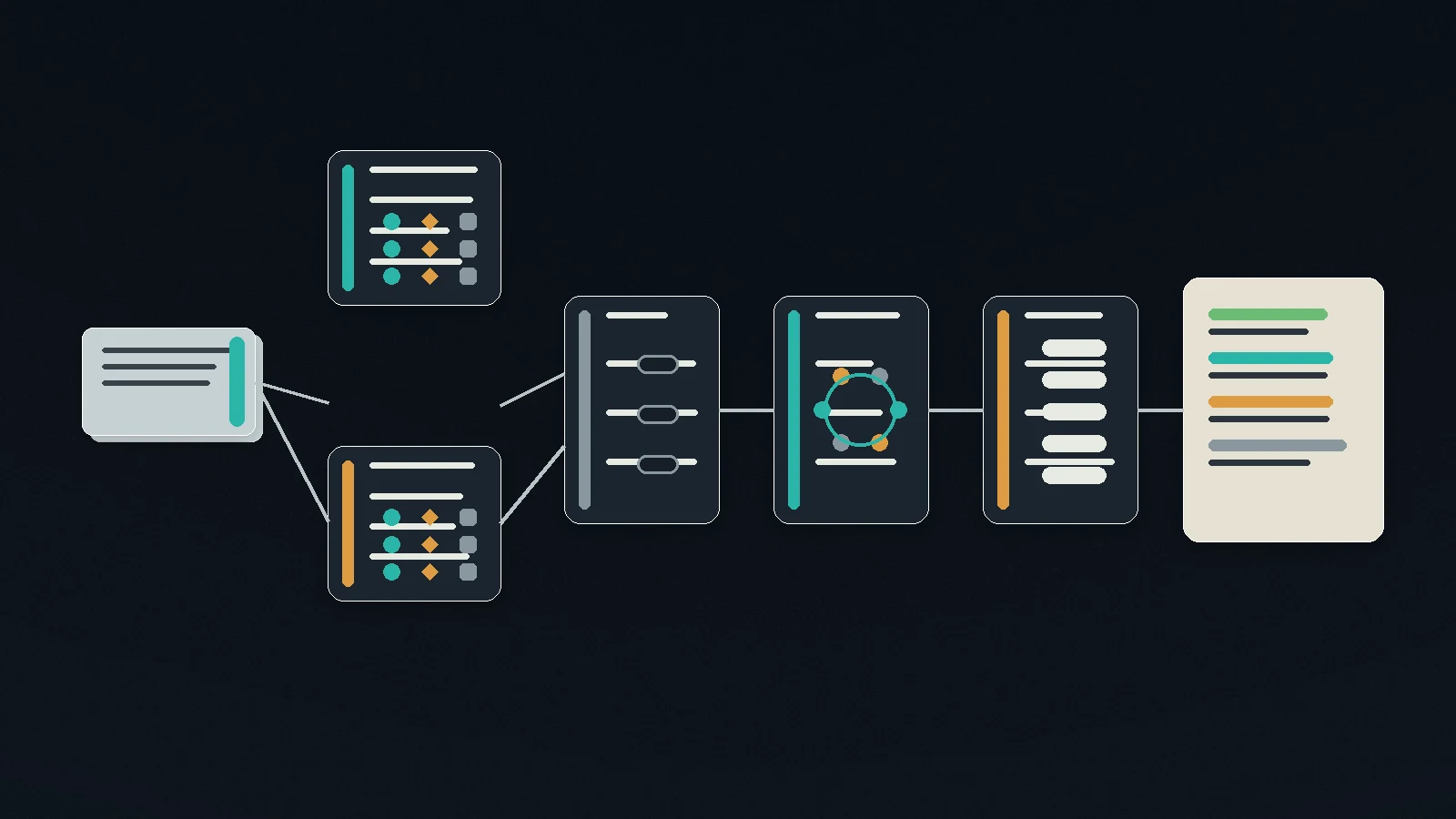
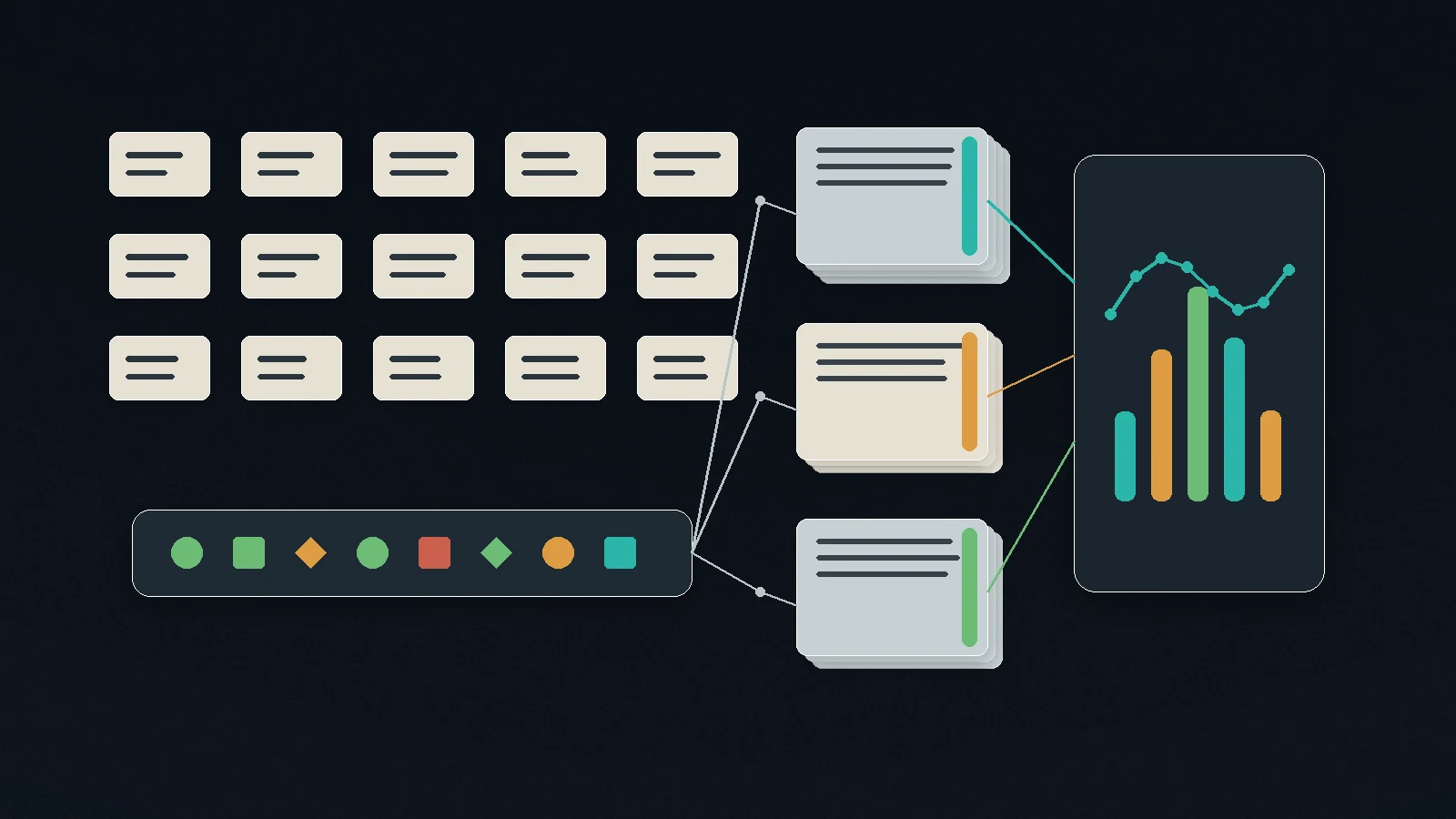
Most AI search systems share the same shape:
- Understand the query.
- Retrieve candidates.
- Rerank them.
- Ground an answer or assemble an interface.
- Show evidence.
- Capture feedback.
- Use the interaction to improve the next result.
The technical pieces are now widely available. The product decisions are where teams get lazy.
Query understanding
Classic search treats the query as text. AI search treats it as intent.
"Show me policies for refund exceptions" is not one query. It might mean:
- Find the current customer refund policy.
- Find examples where support agents approved exceptions.
- Explain the approval threshold.
- Draft a response to a specific customer.
- Flag when the user is not authorised to approve the refund.
If the product does not classify query intent, everything downstream gets muddier. A precise lookup, exploratory research task, compliance-sensitive request, and transactional action need different retrieval, answer, and UI behaviour.
Start with a query taxonomy before you touch embeddings.
Retrieval
Modern AI search should almost always start hybrid.
Keyword search still wins on exact terms, IDs, product codes, policy names, legal phrases, and entity names. Vector search wins when the user describes a concept without using the exact words in the source. Metadata filters keep the system anchored to permission, freshness, geography, product line, language, or customer segment.
This extends the same product discipline behind RAG pipeline design. Chunking, source selection, retrieval thresholds, and citations are not plumbing. They shape whether the product earns trust or manufactures confident nonsense.
The common architecture:
- BM25 or full-text search for exact and lexical recall.
- Dense vector search for semantic recall.
- Metadata filters for hard constraints.
- Reciprocal rank fusion or weighted score fusion to merge result sets.
- Reranking for the final candidate order.
If you skip keyword search because vector search feels more "AI", you will break exact lookup. If you skip vector search because keyword search feels controllable, you will miss intent. The useful answer is both.
Reranking
First-stage retrieval finds plausible candidates. Reranking decides what deserves user attention.
This is where product policy enters the system. Recency might matter more than semantic similarity for market news. Authority might matter more than recency for legal policy. Popularity might matter in ecommerce. Margin might matter in marketplaces. Safety might override all of it in regulated workflows.
Reranking is not only model choice. It is an explicit statement of what the product values.
Grounded answers
AI search becomes dangerous when the answer layer outruns the evidence layer.
The answer contract should define:
- Which source types are authoritative.
- Whether the model can synthesise across conflicting sources.
- How many citations are required.
- What confidence threshold triggers "I do not know".
- Which actions require human confirmation.
- What the user sees when retrieval is weak.
This is the difference between a search system and a hallucination machine.
Interface
Search used to return ten blue links. AI search can return a table, map, summary, comparison grid, chart, checklist, drafted email, filled form, or action queue.
The right interface depends on the job.
A customer support agent needs the answer, the cited policy, and a response draft. A legal reviewer needs source passages and conflict flags. A home buyer needs a visual comparison of tradeoffs. A sales manager needs a ranked list with the reason each account surfaced.
This is why I am sceptical of conversational search as the default. Chat is useful when the user is exploring. It is weak when the user needs to compare, verify, filter, approve, or act. As I argued in Text Is a Terrible Business Interface, the stronger pattern is generative UI: let the system render the right structure for the answer.
The answer contract comes before the vendor shortlist
Most build-vs-buy discussions start too low in the stack. Teams compare vector databases, embedding models, search APIs, and connector libraries before they have defined what good looks like.
Write the answer contract first.
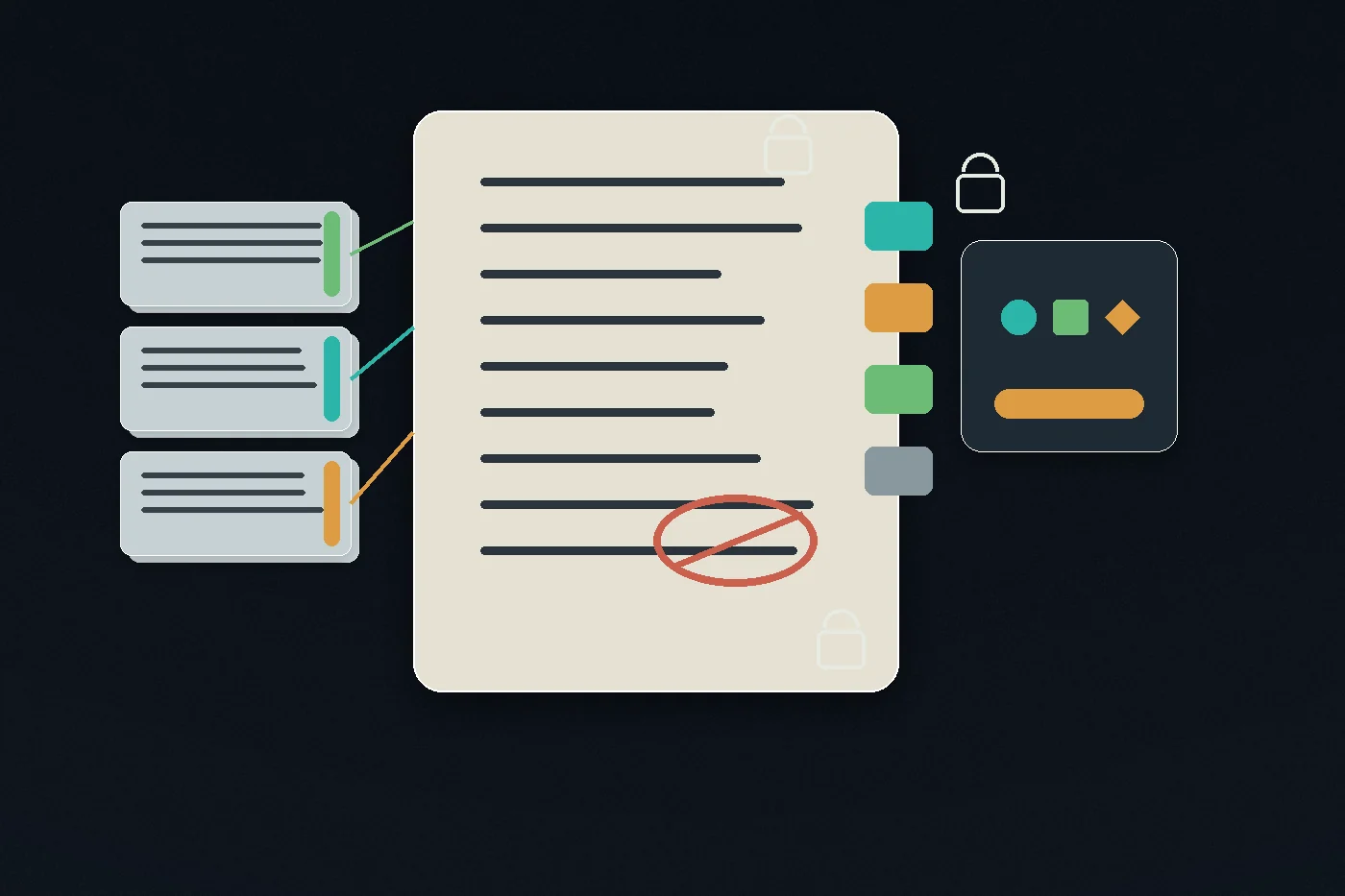
An answer contract for a customer support search product might say:
- Current help-centre articles outrank historical tickets.
- Internal Slack can suggest investigation paths but cannot be cited to customers.
- Refund policy answers must cite the current policy page and show the effective date.
- If the top evidence is older than 90 days, the system warns the agent.
- If retrieval confidence is low, the system offers source results rather than a generated answer.
- Payment actions require explicit agent confirmation.
Now the vendor conversation is useful. You know whether you need permissions, freshness, filters, citations, audit trails, latency guarantees, custom ranking, or web search.
AI search build vs buy: where the line should sit
Buy more of the substrate than your ego wants. Build more of the product layer than your vendor wants.
| Layer | Usually buy | Usually build | Decision test |
|---|---|---|---|
| Web search | Exa, Tavily, Perplexity, Brave, Google grounding | Your own crawler only for narrow domains | Do you need broad web freshness or controlled known sources? |
| Enterprise connectors | Glean, Coveo, Microsoft, Google, Elastic connectors | Custom connectors for proprietary systems | Are identity, permissions, and freshness the hard problem? |
| Vector storage | Pinecone, Weaviate, Qdrant, Azure AI Search, Elastic | Postgres/pgvector for smaller controlled workloads | Is scale, filtering latency, or operations more important than simplicity? |
| Hybrid retrieval | Algolia, Azure AI Search, Elastic, OpenSearch, Vespa | Custom retrieval when ranking is a core product moat | Do you need full control of ranking signals? |
| Reranking | Vendor rerankers, hosted models, API models | Domain-specific rerankers for high-value workflows | Does a 5% relevance lift materially change revenue or risk? |
| Answer UX | Rarely buy completely | Product-specific UI, evidence display, feedback, actions | Does the interface express your domain expertise? |
| Evaluation | Use tools where helpful | Your golden set, metrics, regression tests | Can a vendor know what "right" means for your users? |
There are good reasons to buy. Search infrastructure is thankless. Latency, indexing, filtering, sharding, permissions, failover, observability, and connector maintenance will eat time you wanted to spend on product.
There are also parts you should not outsource. Your query taxonomy, answer contract, source authority model, ranking policy, trust UX, and eval set are product knowledge. If a vendor can fully define those for you, search is not your moat.
How to build AI search: a practical implementation path
Do not start with a vector database selection. Start with twenty real user queries.
Step 1: Write the query taxonomy
Collect 100 real queries if you can. Twenty is enough to begin.
Classify them:
- Lookup: "What is the refund policy?"
- Discovery: "Find accounts showing expansion intent."
- Comparison: "Which suppliers meet our risk threshold?"
- Diagnosis: "Why did this valuation change?"
- Action: "Draft the response and create the task."
- Monitoring: "Tell me when this changes."
Each class should have its own answer shape, latency budget, and risk level.
Step 2: Define authoritative sources
Indexing everything is usually a mistake.
Define source hierarchy:
- Gold: current approved policies, product catalogue, signed contracts, structured records.
- Silver: recent tickets, CRM notes, meeting transcripts, analytics events.
- Bronze: Slack, draft docs, user comments, web pages, historical exceptions.
Gold sources can ground answers. Silver sources can provide context. Bronze sources may inform discovery but should be labelled and handled carefully.
This hierarchy matters more than the embedding model.
Step 3: Build the baseline with boring search
Create a keyword baseline first. Measure whether exact lookup works. Then add vector retrieval and compare.
Useful baseline metrics:
- Recall@10: did the right source appear in the top 10?
- Source precision: how many returned sources actually support the answer?
- Exact lookup success: can the system find IDs, policy names, and named entities?
- Freshness error rate: how often does it surface stale material?
- Permission error rate: how often does it expose or use material the user should not access?
If keyword search is weak, vector search will not save the product. It will hide the weakness under fluent prose.
Step 4: Add hybrid retrieval and reranking
Run keyword and vector retrieval in parallel. Fuse the results. Rerank the top candidates.
Tune by query type, not globally.
A product-code lookup might weight keyword search at 90%. A conceptual policy question might weight vector search at 70%. A legal query might prefer authority and exact text over semantic similarity. A marketplace query might include availability, margin, and conversion probability.
One search setting for every query is a sign the product has not been thought through.
Step 5: Ground the answer and show the evidence
The answer should be visibly attached to evidence.
Good AI search UX usually includes:
- A concise answer or recommendation.
- Cited source passages.
- Source dates and authority labels.
- Confidence or coverage indicators.
- A visible "not enough evidence" state.
- Controls to expand, compare, filter, or act.
- Feedback capture tied to the query and sources.
Do not hide uncertainty. Users can handle uncertainty. They cannot handle fake certainty.
Step 6: Add evals before broad rollout
Build a golden set of 50 to 200 queries. This is eval infrastructure applied to retrieval: a repeatable way to prove whether search quality improved or just moved the failure somewhere else. For each query, define:
- The expected source documents.
- The acceptable answer.
- The unacceptable answer.
- The required citations.
- The action boundary.
- The risk class.
Then run it every time you change prompts, models, embeddings, chunking, ranking weights, sources, or UI behaviour. The same principle sits behind the broader evaluation frameworks needed for production AI systems.
Your search eval suite is not QA theatre. It is the product memory that stops you from improving one query class while breaking another.
Step 7: Instrument the product loop
Measure more than clicks.
AI search needs product metrics that reflect the decision flow:
- Search-to-answer completion.
- Answer-to-action completion.
- Reformulation rate.
- Citation open rate.
- No-answer rate.
- Human override rate.
- Retrieval latency.
- Cost per successful task.
- Repeated query rate for the same intent.
If the system answers quickly but users keep reformulating, relevance is weak. If users open citations constantly, trust is not yet earned. If the no-answer rate is zero, the system is probably over-answering.
AI search best practices that survive vendor cycles
The tooling will keep changing. These principles will not.
Prefer hybrid retrieval by default. Semantic search is not a replacement for keyword search. It is an additional recall path.
Treat permissions as retrieval constraints, not UI filters. Never retrieve a document the user is not allowed to use and hope the interface hides it later.
Make source authority explicit. The model should know the difference between an approved policy, a draft proposal, a sales note, and a customer complaint.
Separate retrieval confidence from answer confidence. The model might be good at writing and still have weak evidence. Track both.
Design the no-answer state. "I could not find enough evidence" should be a product path, not an error message.
Keep chat as one mode, not the whole product. Use chat for exploration. Use structured UI for comparison, verification, and action.
Tune by query class. Lookup, discovery, comparison, diagnosis, action, and monitoring are different jobs.
Cache carefully. Cache retrieval and answer fragments where freshness allows it. Never cache across permission boundaries.
Evaluate retrieval before generation. If the wrong source is retrieved, the answer layer is already compromised.
Track cost per useful outcome. Cost per query is less useful than cost per resolved support case, qualified lead, completed booking, or avoided analyst hour.
Where AI search is heading next
The next phase of AI search is less about better answers and more about persistent context.
Search used to be stateless. You typed, clicked, left, and came back to a blank box. AI search makes that feel primitive. The system can remember your role, permissions, preferences, prior decisions, rejected results, common workflows, and the evidence threshold you need before acting.
That creates four shifts.
First, search becomes monitoring. The user stops asking the same query every week. The system watches the corpus and tells them when something relevant changes.
Second, search becomes personal without becoming sloppy. The best systems will adapt to the user's workflow while preserving source authority and permission boundaries.
Third, search becomes multimodal. Text, images, tables, PDFs, audio, product telemetry, maps, and video become searchable through the same intent layer.
Fourth, search becomes action. The result is not a page. It is a filled form, a ranked queue, a draft, a recommendation, a booking, an exception, or a decision record.
This is why the search box is the wrong mental model. The search box was a user interface for a database. AI search is an operating layer for knowledge, evidence, and action.
The teams that understand this will build systems users trust. The teams that do not will ship a semantic search demo, watch the first-week novelty fade, and then blame the model.
Build the answer contract first. Then pick the stack.
Frequently Asked Questions
What is AI search?
AI search is a search experience that uses machine learning and language models to understand user intent, retrieve relevant evidence, rank results, generate grounded answers, and often help the user take the next action. It usually combines keyword search, vector search, metadata filtering, reranking, citations, and an interface designed around the user's decision.
Is vector search the same as AI search?
No. Vector search is one retrieval technique inside AI search. A production AI search system usually needs keyword search, vector search, filters, reranking, source authority rules, grounding, citations, permissions, feedback, and evals. Vector search alone improves recall for some queries, but it does not create a trustworthy product experience.
Should I build or buy an AI search platform?
Buy the infrastructure if you need scale, low-latency filtering, enterprise connectors, web freshness, or managed operations. Build the product layer yourself: query taxonomy, answer contract, ranking policy, evidence UX, action flow, and eval suite. Those are domain decisions, not generic vendor features.
What is the best first step for implementing AI search?
Collect real user queries and classify them by intent. Then define the answer contract for each query class: authoritative sources, required citations, no-answer behaviour, risk level, latency target, and allowed actions. Choosing a vector database before this work usually creates a technically impressive search system that does not know what "right" means.
Logan Lincoln
Head of Product based in Currumbin Waters, Australia. Led a $70M regulated B2B SaaS portfolio at Cotality, then founded OpenChair and took its product strategy from market entry into paid production use.